Features
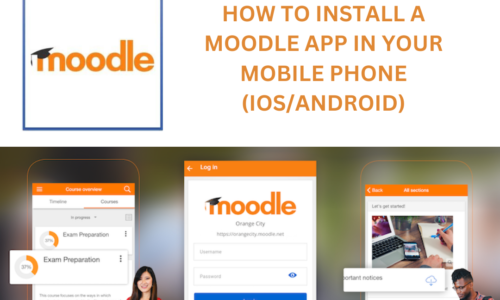
- Course Content Access: Viewing course materials (documents, videos, presentations). Downloading resources for offline access.
- Assignment Submission: Submitting assignments directly from mobile devices. Uploading files and images.
- Quiz/Test Taking: Participating in quizzes and tests. Viewing results and feedback.
- Communication Tools: Messaging and chat features. Forum participation. Announcements and notifications.
- Calendar and Events: Viewing course calendars and events. Receiving reminders for deadlines.
- Notifications: Push notifications for new messages, assignments, and updates. Customizable notification settings.
- Offline Access: Downloading course content for offline viewing. Synchronizing data when online.
- Gradebook Access: Viewing grades and feedback. Tracking progress.
- User Profile Management: Updating profile information. Changing passwords.
- Multimedia Integration: Viewing embedded videos and audio. Uploading multimedia files.
- Security: Secure login and data transmission (HTTPS). Data encryption. Two Factor Authentication compatibility.
- Multilingual Support: Support for multiple languages.
Target audiences
- Students: Accessing course materials, assignments, quizzes, and communication tools on the go. Receiving notifications for updates and deadlines.
- Teachers/Instructors: Managing courses, grading assignments, and communicating with students from mobile devices. Providing feedback and announcements.
- Administrators: Monitoring site activity, managing users, and addressing technical issues remotely. Recieving notifications about site issues.
- Organizations/Institutions: Educational institutions (schools, universities). Corporate training departments. Any organization using Moodle for online learning.
Requirements
- Functional Moodle LMS: A properly installed and configured Moodle LMS (ideally a recent stable version). Server with sufficient resources to handle mobile app traffic. Reliable internet connection for the server.
- Enabled Web Services: Moodle's web services must be enabled, specifically the REST protocol and the "Moodle mobile web service".
- HTTPS (SSL Certificate): A valid SSL certificate is crucial for secure communication between the app and the LMS.
- Mobile Devices: Android or iOS devices compatible with the Moodle app. Stable internet connection on mobile devices.
- Moodle App Installation: The Moodle mobile app downloaded and installed from the official app stores.
- User Accounts: Valid Moodle user accounts for students, teachers, or administrators.
- Firewall Configuration: Proper firewall configuration that allows the mobile app to communicate with the moodle server.
- Two Factor Authentication consideration: If the Moodle site uses Two Factor Authentication, the users must have access to their 2FA method when logging in through the app.
Curriculum
- 1 Section
- 1 Lesson
- Lifetime
Expand all sectionsCollapse all sections
- Video Tutorial1
Instructor